REVIEW · FLORENCE
Uffizi Gallery skip-the-line ticket & self-guided visit APP
Book on GetYourGuide →Operated by CAF Tour & Travel · Bookable on GetYourGuide
Skip the Uffizi line, but read the fine print. The best part here is the idea of skip-the-line entry plus an audio tour app that lets you wander at your own pace through the Renaissance highlights. One caution: some people found the ticket didn’t truly translate into a short queue, and if the audio fails on your phone, you may need to buy earphones on the spot.
This experience works because you get a ticket and an app code right at the museum entrance, then you explore independently using your phone. I like that the audio tour is set up for multiple languages and includes an interactive 3D map with icons, so you’re not just listening—you can actually find your way from artwork to artwork.
The main consideration is simple: it depends on your smartphone and your listening setup. The price includes the entry ticket and the audio content, but it does not include headsets, and you’ll want your phone charged before you walk in.
In This Review
- Key things to know before you go
- Uffizi, but self-guided: what this experience really is
- Price and logistics: is $61.49 good value?
- Meeting point near door n. 1: how entry starts
- The app experience: audio, a 3D map, and the phone reality
- Your self-guided art route: the masterpieces you should plan for
- Giotto’s Ognissanti Madonna: start with the face and the mood
- Botticelli: Spring and Birth of Venus
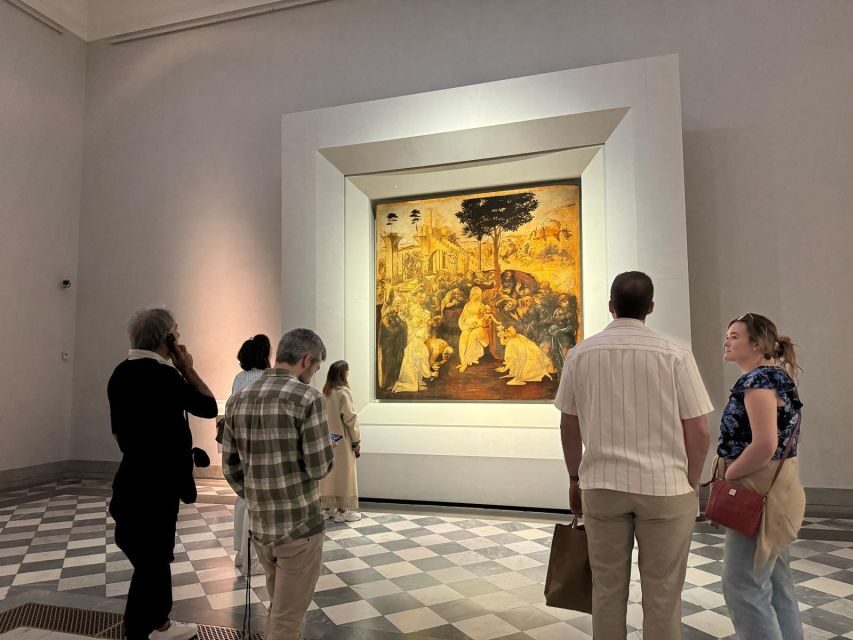
- Leonardo: Annunciation and Adoration of the Magi
- Michelangelo’s Tondo Doni: don’t rush the round
- Caravaggio’s Bacchus: watch how you react
- Why this “masterpieces first” approach works
- Pacing and comfort: make the time work for you
- Who should book this app-ticket style?
- Should you book this Uffizi skip-the-line app ticket?
- FAQ
- What’s included in the Uffizi Gallery skip-the-line ticket and self-guided app visit?
- Do I need my own smartphone?
- Are headsets included?
- Where do I meet the assistant?
- How long is the ticket valid?
- Is this suitable for children?
- Can I cancel and get a refund?
Key things to know before you go

- Door 1 entry setup: You meet close to door n. 1 and get your code/ticket at the museum entrance.
- App-based audio tour: Multi-language audio is delivered through an app you run on your own device.
- Interactive 3D map with icons: It’s meant to help you navigate without hiring a live guide.
- Self-paced visiting: There’s no rigid schedule inside the galleries.
- Bring earphones (or plan to buy them): Headsets aren’t included, and audio issues can happen.
- Confirm the real meaning of skip-the-line: If you expect to bypass the crowd completely, be prepared for gate-side surprises.
Uffizi, but self-guided: what this experience really is
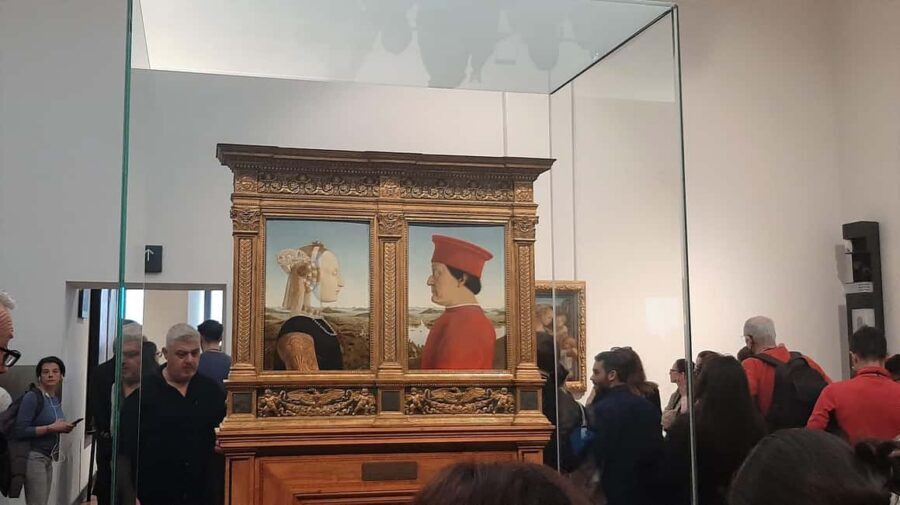
The Uffizi Gallery is one of those places where “famous” is almost an understatement. What makes this ticket approach attractive is that you’re not trapped with a group tempo. You come in, start your audio tour, and move through the museum when your curiosity kicks in—slow on the works you love, fast past the ones you don’t.
The experience is powered by your phone. After you download the app from the App Store, you use an app code that you’ll receive at the museum entrance. From there, you listen to the audio commentary in your selected language and follow along using the interactive 3D map with icons.
That structure is the deal: you’re paying for reserved museum entry plus an on-demand way to understand what you’re seeing without being tied to a person with a microphone.
Other skip-the-line Uffizi tickets we've reviewed in Florence



Price and logistics: is $61.49 good value?

At $61.49 per person, you’re not paying for a full guided tour with a licensed guide leading you room to room. You’re paying for three things: a skip-the-line entrance ticket, immediate ticket delivery at the museum entrance, and the multi-language audio tour via app (including the interactive 3D map and icons).
So the value depends on what you need most:
- If you hate standing in line and want to reduce waiting, the ticket concept is worth it—assuming the reserved lane works the way you expect when you arrive.
- If you actually want context while walking—names, themes, and explanations delivered by audio—the app can make a huge difference in how satisfying the visit feels.
- If you show up with a low battery, no earphones, or an app that won’t play, the “value” can flip fast because headsets aren’t included and your device is doing the heavy lifting.
Based on real-world expectations, the biggest risk isn’t the price—it’s mismatch. If your definition of skip-the-line means a near-empty shortcut, you should be ready for the possibility that entry rules at the gate can feel confusing. The practical fix is to focus on the reserved-door setup (door n. 1) and the moment where you receive your code/ticket.
Meeting point near door n. 1: how entry starts
Your start is close to door n. 1, at an entrance reserved to booking holders. An assistant waits for you wearing blue clothing with Caf Tour and Gray Line logos. The meeting point is also your landing point after the activity ends.
Why that matters: at the Uffizi, small location details can save time. Door n. 1 is your anchor. If you arrive a few minutes late or wander to the wrong entrance, you can lose the time you paid to save.
This is also where you’ll be oriented to how your ticket works. The app code and skip-the-line ticket aren’t sent to you as some pre-loaded QR magic trick beforehand. Instead, they’re delivered at the museum entrance, along with the code you need to unlock the audio tour on your phone.
The app experience: audio, a 3D map, and the phone reality
This is not a classic “walk with a guide” tour. It’s an app-led museum visit with an audio tour designed to play where you are and help you move between key pieces.
You get:
- Multi-language audio (Chinese, English, French, German, Italian, Spanish)
- An interactive 3D map with icons to support navigation
You provide:
- A charged smartphone
- Your own earphones/headsets (not included)
Here’s how I’d manage the phone side so you don’t lose momentum:
- Download the app in advance from the App Store, not in the middle of the queue.
- Arrive with a charged battery. If you’re near “low,” top up before you go inside.
- Bring earphones/headsets and test audio volume before you start the visit.
- Use the 3D map early, even if you think you know the layout. The icons help you connect the audio track to the physical artwork faster.
A key consideration: if your audio guide on your smartphone doesn’t work, you’re stuck without the “guide” part you paid for. One experience included an unexpected need to spend extra money to get working earphones. That doesn’t mean the app will fail for you, but it does mean you should treat earphones as essential kit, not an optional add-on.
Your self-guided art route: the masterpieces you should plan for
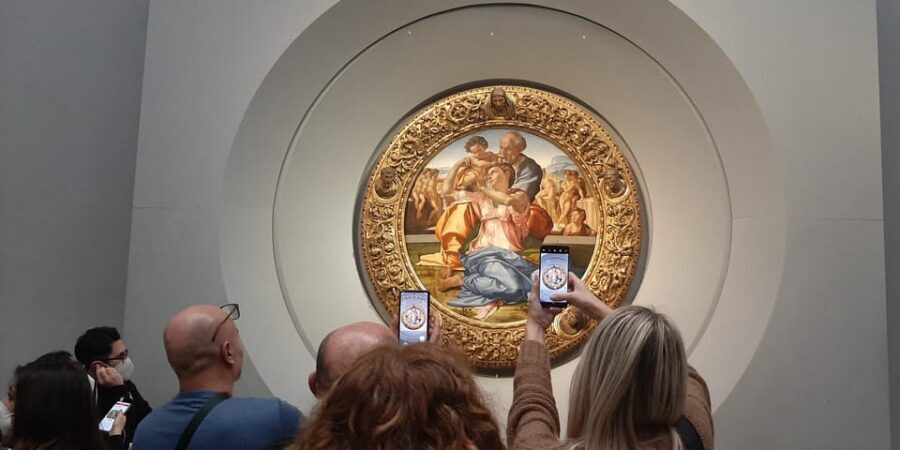
There’s no fixed, turn-by-turn itinerary listed for your exact path through the rooms. Instead, your best strategy is to think in “must-see stops”—the big-name works your audio tour will highlight. You can spend as much time as you want with what’s displayed.
Here are the headline works mentioned for this audio experience, and what you should do with each stop.
Other self-guided Uffizi visits in Florence





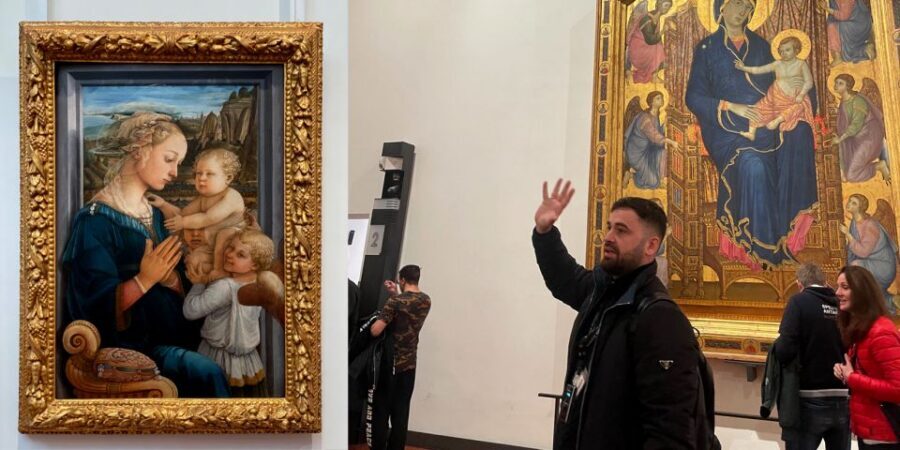
Giotto’s Ognissanti Madonna: start with the face and the mood
One of the first big anchors is the Ognissanti Madonna by Giotto. When you reach it, give yourself a short window to really look before you move on. With app audio, it’s easy to get pulled forward too quickly—so I like using the first track to get oriented to how the museum wants you to see art in this gallery.
Practical tip: if you find yourself walking with your phone already in “autoplay,” pause and check your position. The 3D map and icons can help confirm you’re at the right spot.
Botticelli: Spring and Birth of Venus
Next up are Botticelli’s Spring and Birth of Venus. These are the kind of works that can either thrill you or leave you feeling like you missed the point—so don’t just “look past.” Plan a slightly longer pause than you think you need, then let the audio commentary guide your attention to what you might otherwise overlook.
Practical tip: if it’s crowded, don’t fight for the perfect angle. Use your time to get close enough to see what you came for, then step back for a moment to regroup before restarting your audio track.
Leonardo: Annunciation and Adoration of the Magi
Leonardo is covered with the Annunciation and the Adoration of the Magi. This is a strong section of the visit because Leonardo’s works often reward viewers who slow down and compare details across related scenes. Let the audio do its job here: it’s better at keeping you from multitasking with your phone than a standard audio file playing in the background.
Practical tip: stand still long enough for the audio to finish the main point. If you keep drifting, the “guide” becomes background noise instead of a tool.
Michelangelo’s Tondo Doni: don’t rush the round
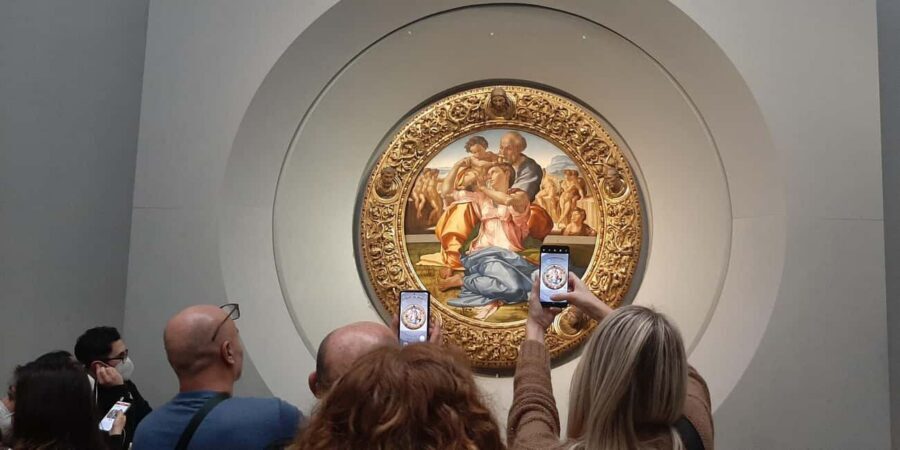
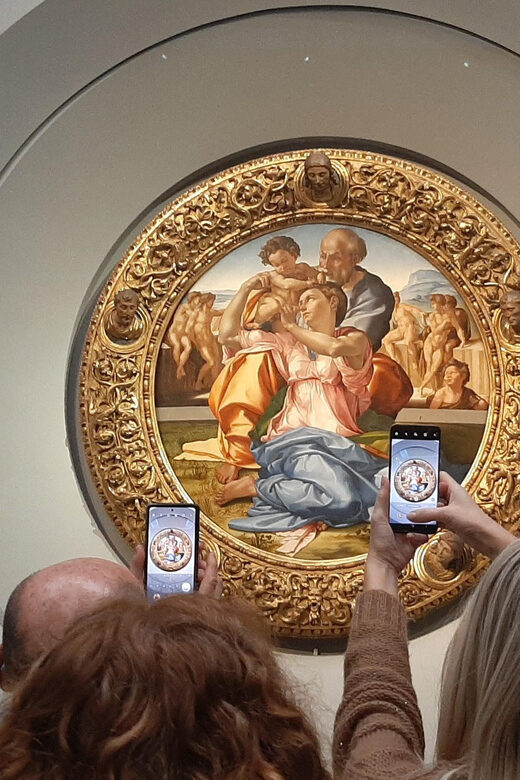
The highlight on the Michelangelo side is the Tondo Doni. A “tondo” format is naturally easier to miss because people tend to scan quickly for the next big wall panel. Spend time with it from one angle, then shift slightly and give the audio map another glance so you don’t lose track of your bearings inside the gallery rooms.
Caravaggio’s Bacchus: watch how you react
The experience also calls out Bacchus by Caravaggio. This is the kind of work that can change your mood mid-visit, especially when you’ve been surrounded by softer, more serene pieces. I like using a section like this as a reset point: stop, listen, and let your reaction steer how long you stay.
Practical tip: after Bacchus, decide whether you want to continue following the audio track order or jump around based on what you’re already enjoying.
Why this “masterpieces first” approach works
Your ticket doesn’t lock you into a timed itinerary, so you need a plan that prevents museum wandering from turning into aimless wandering. Using the key works named in the audio experience as your anchors keeps you grounded. The 3D map and icons support this, so you’re not just hunting.
If you want a smoother visit, pick three “must-stops” and let the rest be bonuses. That keeps the day feeling like yours.
Pacing and comfort: make the time work for you

The Uffizi is a place where your energy matters. Since this is a self-guided tour with no fixed schedule, you can build in micro-pauses without being “behind.”
Here’s what helps me pace:
- Wear comfortable shoes. You’ll be on your feet navigating through the galleries.
- Expect a rhythm: walk a bit, stop for the audio, then check your next move on the 3D map.
- Don’t try to do everything. The audio tour gives you structure, but you still control how long you linger.
You also need to think about your phone battery and earphones for the full visit. Since you’re using your own smartphone, an empty battery near the middle is the fastest way to end the magic.
Who should book this app-ticket style?
This format is best for people who want independence but still like having context. I’d especially recommend it if:
- You hate waiting and want reserved entry through door n. 1.
- You prefer self-paced exploring without a live guide voice in your ear.
- You can handle a smartphone-based experience: charged device, working earphones, and comfort using an app.
It’s less ideal if:
- You need a guaranteed, stress-free “hands-on” tour experience where an adult staff member always solves issues instantly.
- You expect headsets to be provided for you.
- You’re traveling with children under 12. The activity is not available for ages 0–11, and it’s not suitable for children under 12.
One more filter: adult pricing applies to all participants, so it’s a straightforward, per-person value call.
Should you book this Uffizi skip-the-line app ticket?

My take: this can be a smart way to enjoy the Uffizi if you’re set up to use the app reliably and you care about moving at your own speed.
Book it if:
- You want reserved entry plus a multi-language audio tour with an interactive 3D map.
- You’re comfortable navigating on your own once you have the code at the entrance.
- You bring charged phone + working earphones.
Skip it or reconsider if:
- You strongly need a foolproof, no-line experience at the gate and can’t handle uncertainty.
- You’re worried about tech. With this product, your phone is part of the “guide.”
If you do book, do it like a pro: download the app before you go, charge your phone, bring earphones, and aim for door n. 1 on time. That’s how you turn the ticket into a smooth visit rather than a stressful one.
FAQ

What’s included in the Uffizi Gallery skip-the-line ticket and self-guided app visit?
You get assistance at the meeting point, a museum skip-the-line entrance ticket, immediate ticket delivery service at the entrance, and a multi-language Uffizi Museum audio tour with an interactive 3D map and icons.
Do I need my own smartphone?
Yes. You must use your own smartphone to access the app audio tour.
Are headsets included?
No. Headsets are not included, so you should plan to bring your own earphones/headsets.
Where do I meet the assistant?
You meet close to door n. 1, at an entrance reserved to booking holders. An assistant wearing blue clothing with Caf Tour and Gray Line logos will be there.
How long is the ticket valid?
The ticket is valid for 1 day. Starting times depend on availability.
Is this suitable for children?
No. It is not available for children ages 0–11, and it is not suitable for children under 12.
Can I cancel and get a refund?
Yes. You can cancel up to 24 hours in advance for a full refund. You can also reserve now and pay later.